Keyboard shortcuts
The keyboard shortcuts in the web app, by platform, as the help panel and the command palette define them.
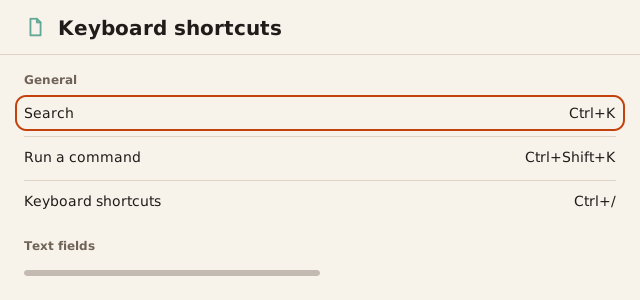
The Keyboard shortcuts panel lists every shortcut active at that moment.
Cmd+/ on Mac and Ctrl+/ on Windows and Linux open it. The panel groups
shortcuts under General and Text fields. Shortcuts that belong to a
part of the app you are not using appear dimmed.
On Mac the app shows Cmd, Option, Shift and Control as symbols. On
Windows and Linux it shows Ctrl, Alt and Shift as words. A shortcut
written with Cmd on Mac also accepts Ctrl, and a shortcut written with
Ctrl on Windows and Linux also accepts the Windows or Meta key.
A shortcut that uses no Cmd, Ctrl, Option or Alt key does nothing while
the cursor is in a text field.
Search and commands
| Mac | Windows and Linux | Action |
|---|---|---|
Cmd+K | Ctrl+K | Search: open the command palette to search |
Cmd+Shift+K | Ctrl+Shift+K | Run a command: open the command palette in command mode |
Cmd+/ | Ctrl+/ | Open the Keyboard shortcuts panel |
In search mode, typing > as the first character switches the palette to
command mode. Backspace in an empty command field returns to search.
Enter runs the selected row and Esc closes the palette.
Layout
| Mac | Windows and Linux | Action |
|---|---|---|
Cmd+\ | Ctrl+\ | Hide the conversation or Show the conversation beside a surface |
Esc | Esc | Collapse the channel list when it is open over a narrow window |
Cmd+Shift+E | Ctrl+Shift+E | Reveal the open file in the Project surface |
Text fields
| Mac | Windows and Linux | Action |
|---|---|---|
Cmd+B | Ctrl+B | Bold |
Cmd+I | Ctrl+I | Italic |
Cmd+E | Ctrl+E | Inline code |
Cmd+Enter | Ctrl+Enter | Tick or untick the item in a task list |
Forms
| Mac | Windows and Linux | Action |
|---|---|---|
Cmd+Enter | Ctrl+Enter | Create channel in the new-channel dialog |
Cmd+Enter | Ctrl+Enter | Create issue in the issue draft |
Cmd+S | Ctrl+S | Save view on an issues board view |
Messages
These shortcuts act on the message whose menu you opened last.
| Mac | Windows and Linux | Action |
|---|---|---|
L | L | Copy link |
U | U | Unread from here |
Cmd+C | Ctrl+C | Copy text |
These shortcuts work while a message menu is open.
| Mac | Windows and Linux | Action |
|---|---|---|
Option+R | Alt+R | Read to here |
Option+M | Alt+M | Remind me |
Option+0 | Alt+0 | Remove reminder |
Option+I | Alt+I | Create issue from message, or open the message’s issue |
Option+Shift+F | Alt+Shift+F | Forward… |
Option+F | Alt+F | Follow thread or Unfollow thread |
Option+T | Alt+T | Mute thread or Unmute thread |
Option+S | Alt+S | Save for later or Remove from saved |
Option+E | Alt+E | Show edit history |
Option+O | Alt+O | Open run |
Option+W | Alt+W | Why this reached me |
Huddles
| Mac | Windows and Linux | Action |
|---|---|---|
M | M | Mute or Unmute your microphone |
H | H | Raise hand, or lower it again |
M and H work for a participant who can speak in a connected huddle.
| Option+Space, held | Alt+Space, held | Hold to talk |