App updates and language
How the web app finds and applies a new version, where What's new appears, and which interface languages the language menu offers.
The web app checks for a new version in the background. A new version waits until you reload. After the reload, the app offers the release notes for the version you now run.
Update checks
| Event | What the app does |
|---|---|
| The window gains focus or the tab becomes visible | Checks for a new version |
| The browser comes back online | Checks for a new version |
| 15 minutes pass | Checks for a new version |
| A check fails | Changes nothing on screen |
| A new version is ready | Shows the update notice |
Checks run at most once a minute. A hidden or offline tab skips them. The first install of the app shows no notice.
The update notice
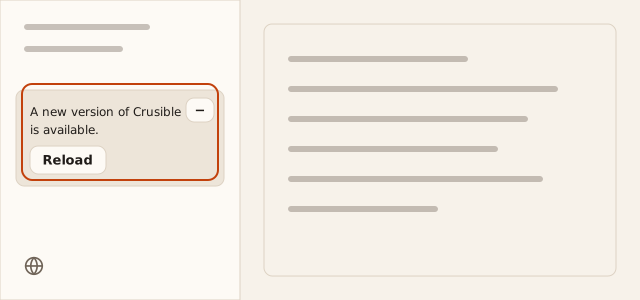
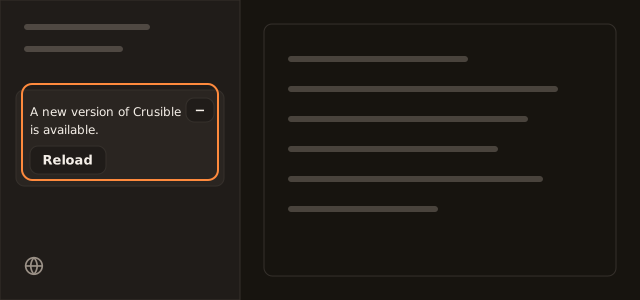
The notice is a card in the navigation’s notice area. It reads
A new version of Crusible is available.
| Control | Result |
|---|---|
| Reload | Activates the new version and reloads this tab |
| Remind me later | Hides the card for 30 minutes |
A newer version arriving during those 30 minutes shows the card again. The new version never activates by itself. Another tab that activates it leaves this tab’s notice in place.
When you collapse the navigation, a single icon takes the card’s place. It reloads the same way.
Reloading with unsaved work
Reload asks first when reloading would lose something.
| Situation | Confirmation | Buttons |
|---|---|---|
| Unsaved edits | Reload and discard unsaved edits? | Cancel, Reload anyway |
| An attached terminal | Reload now?with Attached terminals will disconnect. | Cancel, Reload |
The collapsed icon’s name changes to
A new version of Crusible is available. Reloading would lose pending work.
in both situations.
What’s new
After a reload to a new version, a card titled
What's new in Crusible
shows the release title. It appears
once per version.
| Control | Result |
|---|---|
| What’s new | Opens the release notes dialog |
| Close | Dismisses the card for this version |
The dialog lists the release’s changes under New, Improved and Fixed. Its footer shows the version number and a Close button. The notes describe the version you run. The browser remembers which version’s notes you have seen.
The card and the collapsed navigation’s mark are the two ways into the
dialog. Release announcements also arrive as notifications and as posts in
the #release channel.
Interface language
The language menu is the language icon in the navigation, beside the settings link. Its name is Language.
| Row | Meaning |
|---|---|
| Automatic | Follows your browser’s language. Its caption names the language it resolves to. |
| A language | Its own name, with its language tag under it, for example ja-JP |
Automatic resolves only to a reviewed language. A choice applies at once, without a reload. A right-to-left language also flips the layout. Crusible saves the choice to your account and keeps a copy in this browser. The account value wins on another device.
If the workspace sets a language, the other rows are unavailable. A failed save
returns to your last saved language and shows
The change was not saved. Try again.
Language review
| Language | Review state |
|---|---|
| English, en-US | Reviewed |
| 34 other languages | Machine translation that no person has reviewed |
The menu offers all 35 languages. Show unreviewed languages sits under Language on the Appearance settings page. It is your own setting for whether the menu offers the 34 machine translations. The menu shows no review mark on a machine-translated language.
The sign-in screens offer reviewed languages only. With one reviewed language today, they show no language menu.