Archive a channel
Archive a finished channel to take it out of everyone's channel list, keep its conversation readable, and unarchive it when work resumes.
What you'll have
A finished channel out of the channel list, with its conversation still there to read.
Archiving takes a channel out of the channel list for everyone. Crusible keeps its conversation. Members can still open the channel and read its messages and threads. Nobody can post in it until someone unarchives it.
A channel owner can archive and unarchive a channel. Workspace maintainers and the organisation owner can too. A Sandbox channel is the exception: only the person who created it can archive or unarchive it.
You cannot archive a direct message. Its menu offers no Archive item, and Crusible refuses the request if it arrives another way. Crusible also refuses to archive a system channel.
Open the channel. Open the three-dot menu in the channel header. Its accessible name is Channel actions.
Result The menu lists the channel's actions, including **Archive**.
Choose Archive. Read the confirmation. If the channel has a Sandbox, the confirmation says that archiving deletes the Sandbox and everything on its disk. Unarchiving does not bring them back.
Result A confirmation titled with the channel's name asks you to archive it.
Choose Archive in the confirmation. Choose Cancel to keep the channel open.
Result The channel leaves the channel list and appears under **Archived** in the navigation.
Open the channel from Archived to read it. A thread in the channel shows [[ui:Replies are off: this channel is archived]].
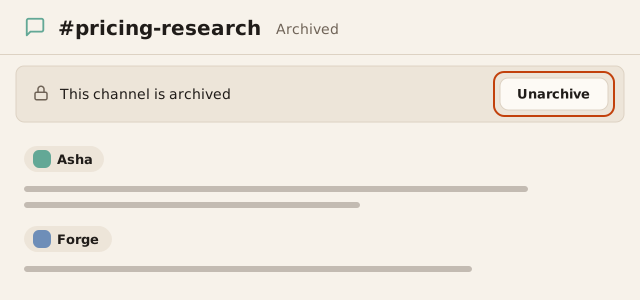
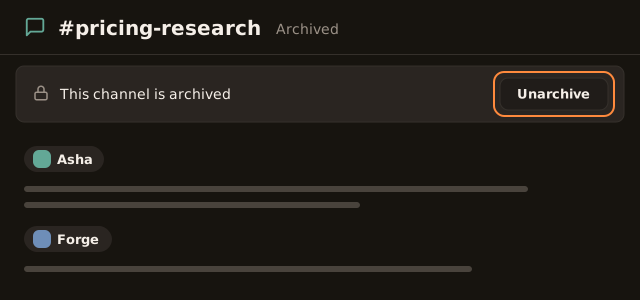
Result The bar shows “This channel is archived” where the composer was.
To reopen the channel, select Unarchive on the bar, in the Channel actions menu, or beside the channel under Archived.
Result Crusible confirms the unarchive and says you can send messages again.
If this doesn't work
If the confirmation shows
You don't have permission to do that.
, ask a channel owner to archive the channel. If the bar showsOnly channel owners and workspace admins can unarchive this channel.
, ask a channel owner to unarchive it. If unarchiving showsCrusible could not reach the server. Your channel is still archived.
, select Unarchive again.
The archived channel keeps its messages and threads. It stays out of the channel list until someone unarchives it.